


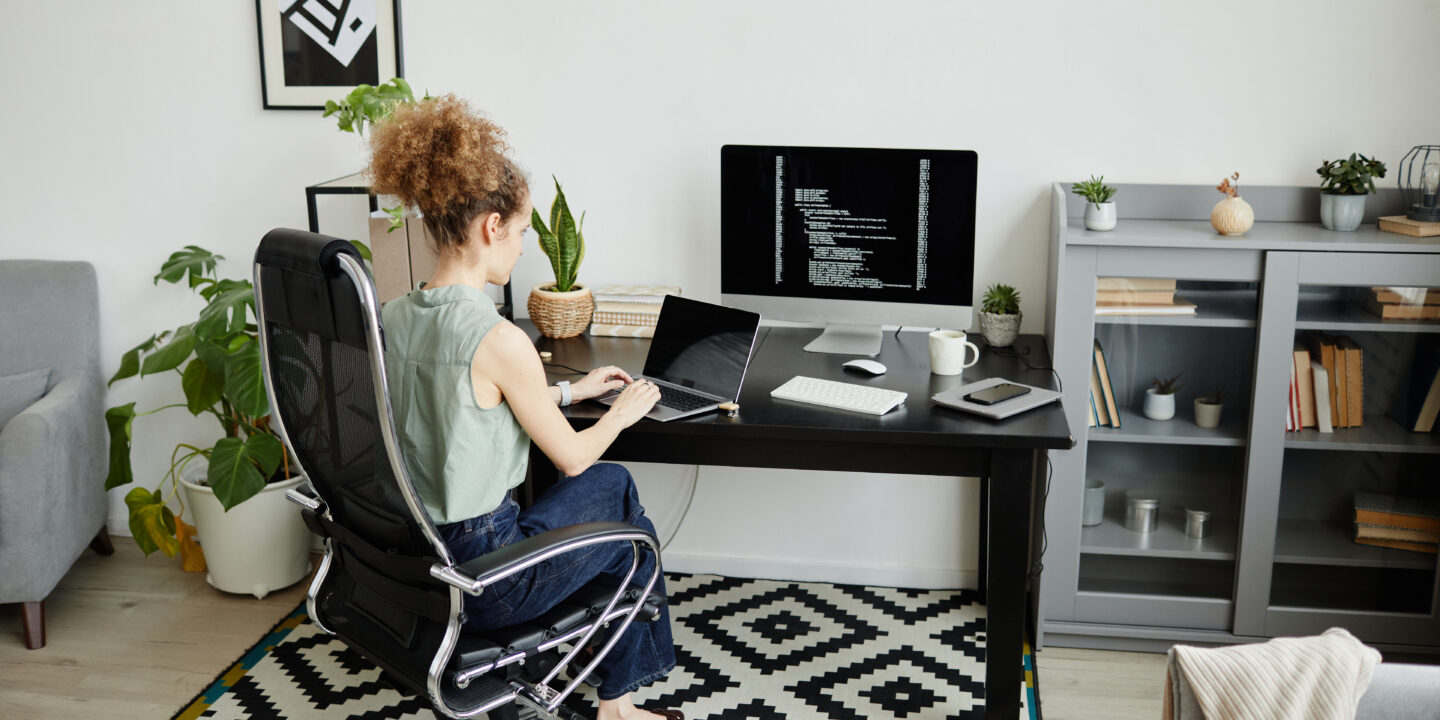
The emergence of the distributed workforce model across the United States has greatly influenced the way professionals interact with the physical environment of their working place. In previous decades, the ergonomics and design principles of the workplace belonged strictly to corporate human resources departments or facilities managers. Now, however, it is the individual who bears full responsibility for establishing and maintaining his/her personal working environment. Working from home has shifted from a temporary workaround to a permanent career choice, and therefore there is ever-growing demand in professional environments at home.
Nevertheless, many people soon find out that the use of improvised workplace furniture like kitchen barstools and sofa sets for managing spreadsheet files is completely unsustainable in a long-term perspective. The lack of attention to the physical architecture of the office leads to such consequences as physical weariness, muscle fatigue, and impaired ability to concentrate on tasks at hand. Therefore, building a comfortable, professional office means considering far more advanced and highly strategic layout to ensure both your physical well-being and enhanced output.
Choosing the Optimal Location for Your Digital Office
The first and foremost principle to apply in case of developing a highly functional home office space is determining the optimal geographic location for your desk. Do not set up the desk in places naturally connected with relaxation, entertainment or active house activity. Arranging your digital space in the bedroom or living room results in cognitive conflicts between leisure and work modes that prevent you from concentrating on executing tasks.
Isolation from Noise Sources
Whenever it is possible, arrange your office space in a room with closing door to create a definite physical barrier and eliminate any household noise.
Acoustical Considerations
Select a room as distant as possible from major appliances, doorways or household activity centers to reduce audio distractions during live video calls.
Maximize Natural Lighting
Set up your office desk next to sources of natural light rather than in the places with its excess or deficit.
In case your living space is not able to accommodate another room for your personal office, then creative space solutions will have to be implemented. Using privacy screens, furniture rearrangement or bookshelf partitions, it is possible to separate a corner for conducting professional tasks and leave this space highly structured and devoid of household clutter.
Acquiring Best-in-Class Furniture for Posture Correction
Spending forty and even more hours a week working at a desk negatively impacts your posture and physical health as well as affects your speed of processing information. Some remote professionals mistakenly prefer trendy interior designs over ergonomic furniture that could prevent back pain, muscle strains and lack of physical energy. Your desk and chair compose the essential structure of your digital productivity machine and, therefore, have to comply with ergonomic considerations.
Ergonomic Chair + Adjustable Standing Desk = Maximum Postural Health and Extended Deep Work Capacity
A proper office set-up starts with choosing a professional ergonomic chair which allows dynamic adjustment of lumbar support and tilting angles to accommodate your body’s needs. It would also be wise to select an adjustable standing desk so you could change posture and switch to the standing position as needed in order to promote blood circulation and prevent feeling sluggish after lunch. When arranging your desk and chairs, adjust the height of your chair and ensure your elbows are at the ninety-degree angle when typing.
Optimizing Visual Perception and Proper Screen Setup
Digital eyestrain, headaches, and difficulty in concentrating are some of the most frequently complained about symptoms by remote professionals. Spending long time intervals in front of under-optimized screens means that muscles of your eyes are constantly overworked, causing rapid mental tiredness and impaired processing of information. Ensuring optimum visual experience is crucial in this case because it contributes to your well-being as well as facilitates deep analytical processes.
Screen Positioning Rules
Arrange your main monitor in a manner so its top third is aligned with your eye level, leaving your neck relaxed and immobile.
Focal Point
Place your displays at the arm’s distance from your face to allow muscles of your eyes to relax and focus on reading the text.
Multiple Monitors Usage
Integrate dual monitors or a big ultra-wide screen to optimize positioning of multiple software applications to minimize switching.
Additionally, use the 20-20-20 rule, which suggests pausing for twenty seconds and focusing on something at least twenty feet away every twenty minutes to allow your eye muscles to rest. It also goes well with using flicker-free high definition screens with adjusted visual settings, namely switching to dark mode interface in late afternoon.
Optimizing Technical Setup and Eliminating Cables
Another crucial component of a perfect office is a reliable technical set-up which allows flawless synchronization with other remote team members. Given that remote professionals use computers only for communicating, your infrastructure should provide high speeds and stable connectivity for conducting business effectively.
Infrastructure Reliability
Wherever possible, connect your work machine to your network router using an Ethernet cable to provide absolute connection security and speed.
Energy Supply Security
Direct all your hardware inputs via a surge protector with an Uninterruptible Power Supply (UPS) unit to ensure reliability of your equipment.
Using Advanced Peripherals
Employ high-speed wireless keyboards and mice, high-definition cameras to provide professional image during virtual meetings.
Insecure Environment
Finally, it is important to organize your technical space and get rid of all those annoying cables that create additional mental stress. Excessively tangled cables, adapters, wires hanging underneath your desk distract you from working because you constantly think about them being a potential cause for malfunction. Arrange your hardware with help of wire trays, cable ties and cable routing sleeves to maintain tidy space and clear head.
Ensuring Proper Thermal Comfort, Ventilation, and Air Quality
It might not come as a surprise that the environment in which you operate also has great impact on your cognitive functioning and productivity. A too-warm working place may cause you to feel lazy, while a lack of ventilation may result in a fast accumulation of carbon dioxide that causes brain fog and inability to conduct thorough analysis.
Controlling Climate
A strict climate regulation in your office is essential for consistent concentration levels. Keep the room temperature at 68-72 degrees F to maintain your maximum speed of processing information. Provide continuous airflow in your space through opening doors after every shift, employing desk fans, or windows whenever available. Moreover, it is useful to introduce an air purifier with True HEPA filtration to clean the room from micro-particles and household dust.
Frequently Asked Questions
What should I do if I do not have enough funds to buy professional furniture?
An ergonomic office set-up does not necessarily imply spending hundreds of dollars at once. Focus only on the parts of furniture that directly contribute to your physical condition, namely your chair and monitor riser. You can get excellent office furniture for a small fraction of its cost by visiting offices’ clearance sales or buying it online. As to secondary components, you can employ inexpensive solutions to increase your comfort.
For example, use an external keyboard along with a few stacks of books to position your laptop screen properly. Such simple steps can significantly improve your productivity and overall well-being. If you want a quick fix to your problem, consider borrowing professional furniture from friends or family members.
What is the advantage of having a dual monitor set-up over single ultra-wide?
Depending on your tasks, it makes sense to have either one or two monitors. If you have to split work tasks onto several different screens, a dual monitor set-up will be preferable because you will be able to conduct a live video conference on one screen, while doing your actual work on another one.
On the contrary, if you are engaged in video editing or programming, then you should opt for a single ultra-wide display which will allow you to see your entire code and videos. Moreover, such set-up eliminates problems related to having an extra monitor bezel on your desktop.
How do I keep my home office warm/cool without raising household utility costs?
Adjusting climate of a room without affecting overall heating system can be easily done by using efficient appliances which consume less electricity. In case you want to cool the room, use a portable air conditioner, energy star-rated tower fan or a regular desk fan. As to heating your room, it makes sense to purchase a low-wattage, portable space heater that does not significantly raise your utility expenses. Another solution would be employing thermal blackout curtains.
How do I optimize lighting to eliminate video call shadows and screen glare?
In order to ensure appropriate lighting in your digital office, it is important to balance between ambient and direct lighting. To avoid dark shadows during important video calls, place a soft and diffused light source, namely a ring light or a desk lamp, directly behind your webcam so it will illuminate your face evenly. However, do not use overly bright overhead lights or position your back near a non-shaded window because it may cause underexposure and screen glare.


About Me
Welcome to Freelancer Guides. I share freelancing tips, digital skills, online earning ideas, career guidance, and useful resources to help learners grow and succeed.
Recent Post




Gallery











No Comments